How to Plan a Trip Itinerary (and a Budget You'll Keep)
Route and nights first, book fixed points, budget per person per day, two-currency spending, arrival times across time zones and official entry rules.
Read guide →
A day-by-day itinerary, bookings with cancellation deadlines, a budget in two currencies, a spending log and a packing list, plus printable pages for the trip.
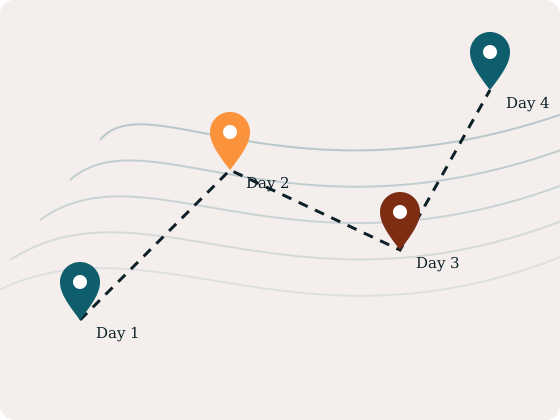
Route and nights first, book fixed points, budget per person per day, two-currency spending, arrival times across time zones and official entry rules.
Read guide →
Printable itinerary pages, the planning workbook, or the travel kit.
Starter
$5 one-time
Best for: A paper itinerary for the trip folder.
Pro
$12 one-time
Best for: One file for the itinerary, bookings and money.
Complete
$14 one-time
Best for: Plan on the laptop, carry it on paper.
PayPal, card (via PayPal) or Bitcoin · instant download link by email · 30-day fix-or-refund
Where you sleep, day by day.
Confirmations and deadlines in one place.
Log as you go, in either currency.
Nothing you type leaves your device.
Take flights or train tickets out of the total, then split what's left into a daily and per-person spending budget.
Open calculator →
Local arrival time from departure time (24 h decimal), flight duration and the time difference between the two places.
Open calculator →
Generated from the real Trip Planner & Travel Budget Workbook.
Setting · Value
Planned budget · Booked (paid + still due) · Spent on the trip so far · Trip cost so far · Budget left
Day · Date · City / area · Morning · Afternoon · Evening
No. Wayfare isn't a travel agency. You book directly; the planner keeps confirmations, deadlines and costs together.
Yes. Open the workbook in Google Sheets and share it; the 'Paid by' column helps split costs.
No. Enter the rate you're budgeting with in Settings and update it before you go.
PayPal, or a debit/credit card through PayPal's checkout where PayPal offers guest checkout. You can also pay with Bitcoin (on-chain).
PayPal: a private download link is emailed to your PayPal address, usually within about 15 minutes. Bitcoin: email your order code to eclipsekingdom.support@gmail.com; the link follows one blockchain confirmation. Links stay valid for 30 days.
Email eclipsekingdom.support@gmail.com within 30 days and we'll fix it or refund you (PayPal refunds via PayPal; Bitcoin refunds in BTC for the USD value paid). See terms & refunds.
Finish on paypal.com. We email a private download link to your PayPal email once PayPal's payment notification reaches us, usually within about 15 minutes. Check spam too.
Send the exact BTC amount shown, then email the order code to eclipsekingdom.support@gmail.com. After one blockchain confirmation we reply with your private link.
Your private link works for 30 days. Lost it? Email eclipsekingdom.support@gmail.com and we'll resend it.